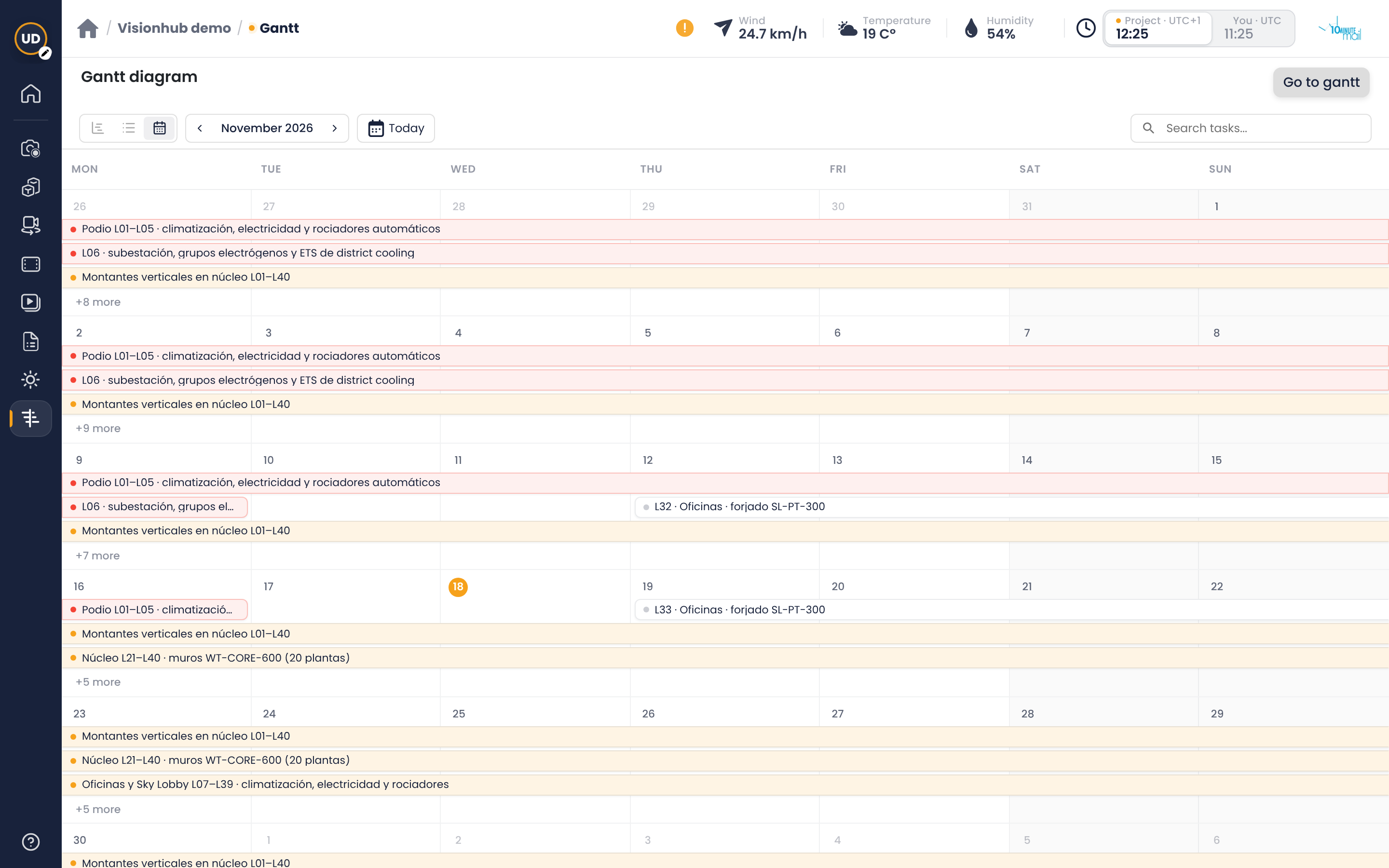
Gantt as a diagram, list or calendar
What it is
The Gantt module shows your site schedule. You can now see it in three different ways, depending on what you need to check.
How to switch views
- Open Gantt from the project side menu.
- In the top bar, next to the search box, click one of the three icons: Gantt (timeline), List or Calendar.
- Your choice is remembered in this browser.
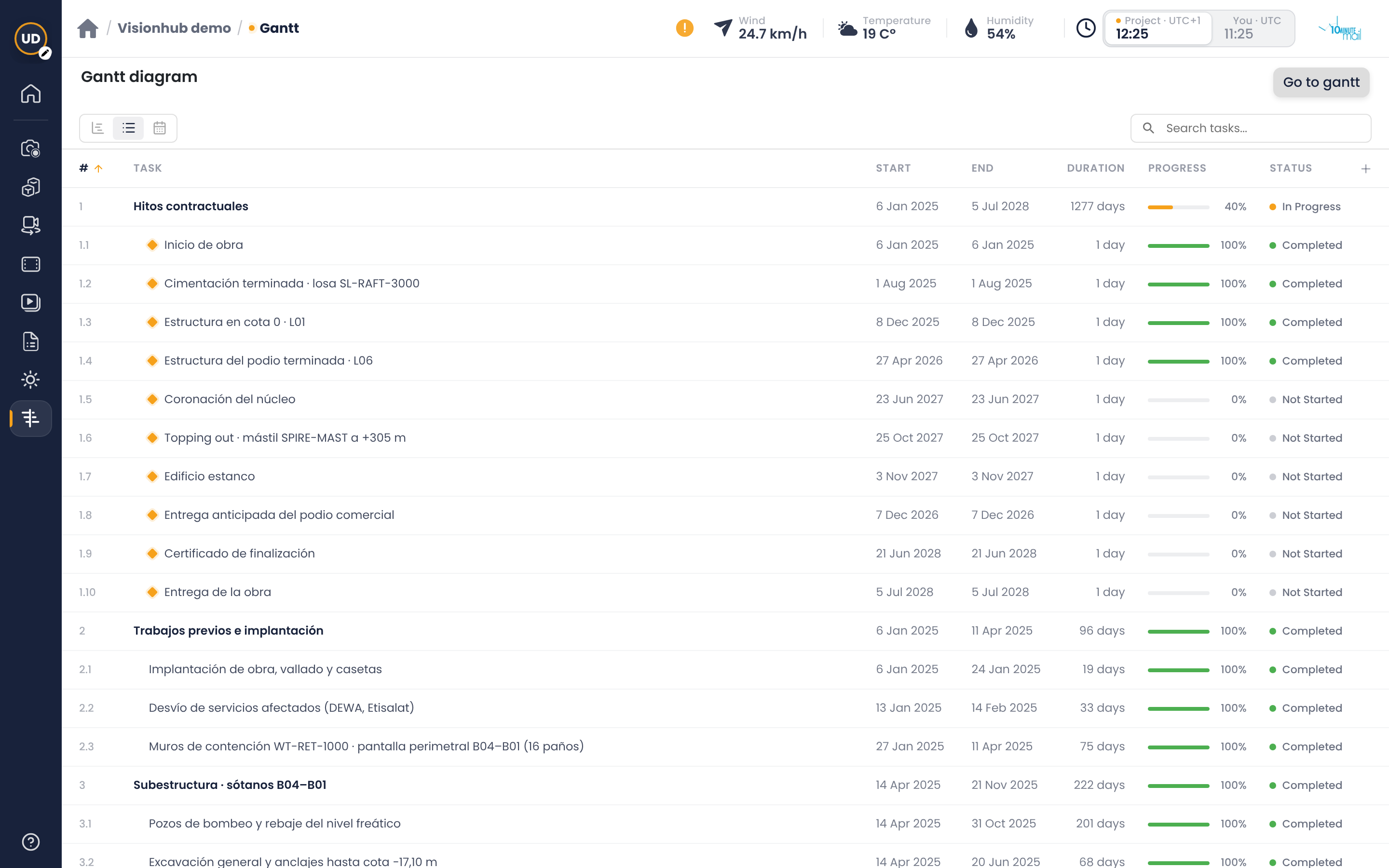
List view
Shows the tasks in a table. Click any column header to sort. Click a row to open the task. With the + button in the header you choose which columns to show (start, end, duration, progress, status, dependencies, parent task, subtasks).
Calendar view
Shows tasks and milestones on a monthly calendar, in the colour of their status. Use the arrows to change month and Today to come back to today. If a day has many tasks, a “+N more” notice lets you see the rest.